Showing posts with label Launch X431 V 8inch. Show all posts

Thursday, 5 November 2020

How Launch X431 V read data stream & fault code?

Launch X431 V 8 inch tablet with Bluetooth connection supports full system diagnosis. Today I am going to show you how to use Launch X431 V to read data stream and fault code from a Honda Accord.

Turn on the ignition, inset Bluetooth adapter to OBD port of the car, then let’s get to start:

how-launch-x431-v-read-data-stream-and-fault-code-01

Open Launch app on X431 V tablet

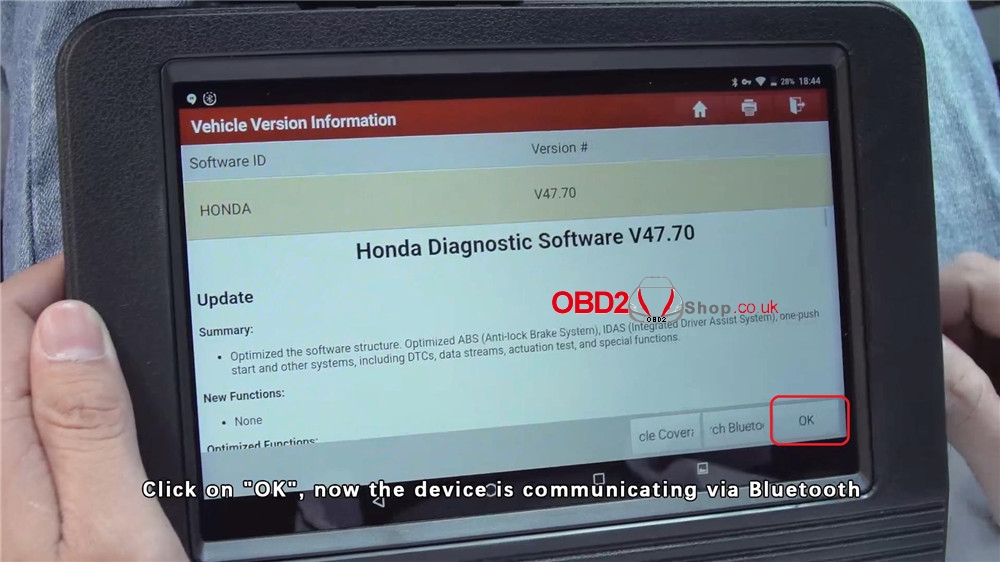
Local Diagnose >> HONDA >> Press “OK”, the device is loading communication...

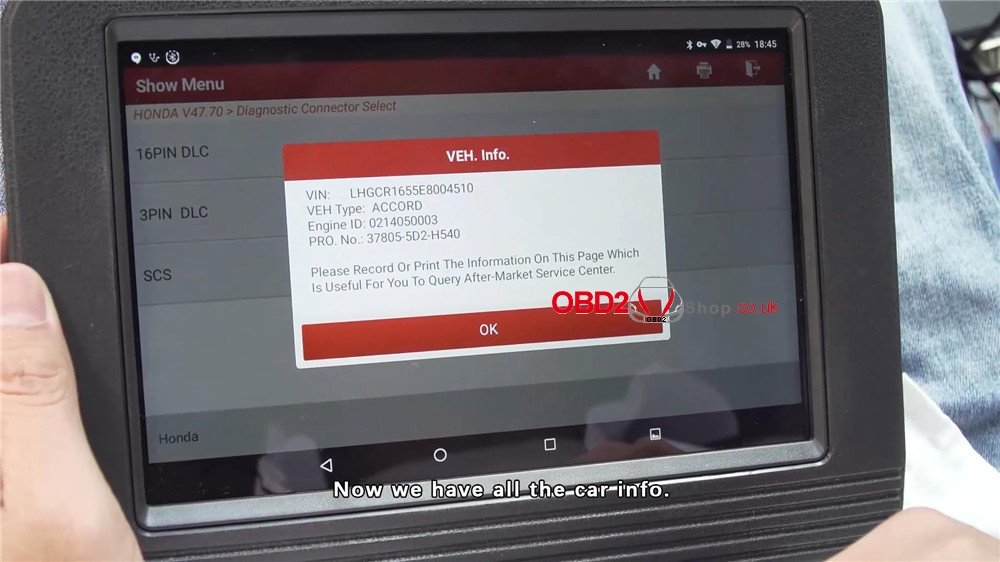
16PIN DLC >> Now you can see the car information on the screen, press “OK”>> System Selection

how-launch-x431-v-read-data-stream-and-fault-code-02

how-launch-x431-v-read-data-stream-and-fault-code-03

how-launch-x431-v-read-data-stream-and-fault-code-04

how-launch-x431-v-read-data-stream-and-fault-code-05

how-launch-x431-v-read-data-stream-and-fault-code-06

how-launch-x431-v-read-data-stream-and-fault-code-07

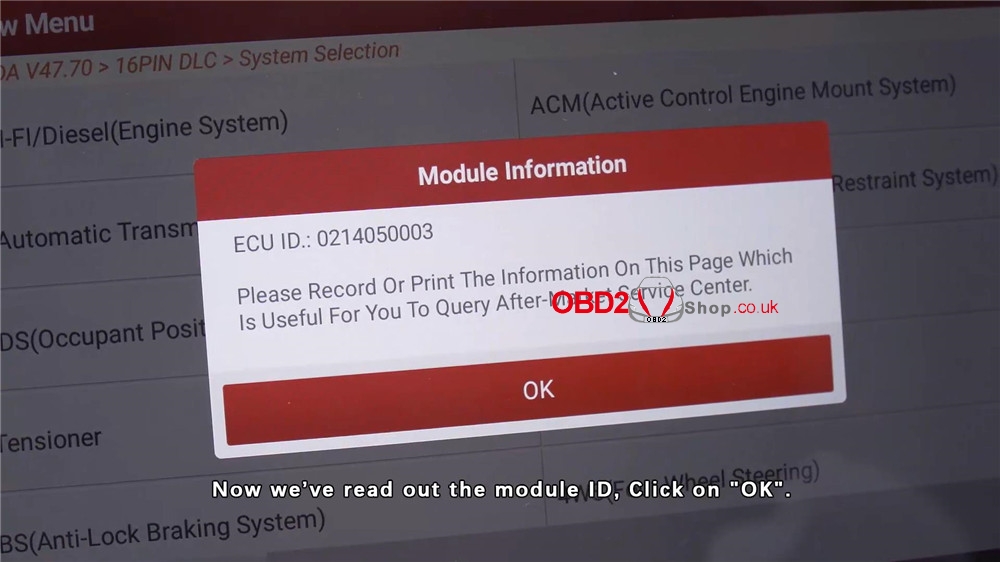
PGM-FI/Diesel (Engine System) >> Now you can see the module information, press “OK”>> Read Data Stream >> Manual Select

how-launch-x431-v-read-data-stream-and-fault-code-08

how-launch-x431-v-read-data-stream-and-fault-code-09

how-launch-x431-v-read-data-stream-and-fault-code-10

Select All >> Start the engine, press “OK”>> Press any icon on the right side to see its waveform

how-launch-x431-v-read-data-stream-and-fault-code-11

how-launch-x431-v-read-data-stream-and-fault-code-12

how-launch-x431-v-read-data-stream-and-fault-code-13

how-launch-x431-v-read-data-stream-and-fault-code-14

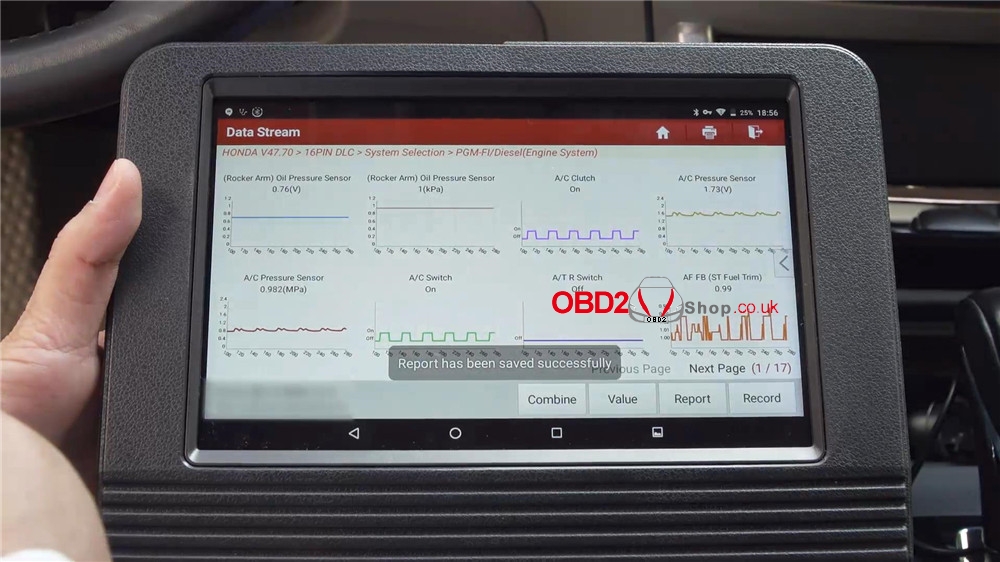
Exit to press “Graph”, you can see 8 waveforms are changing at the same time. All waveforms are normal.

To save the report, press “Report”>> OK >> OK

how-launch-x431-v-read-data-stream-and-fault-code-15

how-launch-x431-v-read-data-stream-and-fault-code-16

Now exit back to show menu, press "Read Fault Code", you will get a page of different fault codes. The "Help" menu explains codes in details and helps to repair the car. 

To save the report, press "Report">> OK >> OK 

The report has been saved successfully!

how-launch-x431-v-read-data-stream-and-fault-code-17

how-launch-x431-v-read-data-stream-and-fault-code-18

Launch X431 V diagnostic tool also support 16 special functions, such as oil reset, IMMO reset, TPMS reset, ABS bleeding, EPB reset, etc.

For more functions overview, please refer to the full video:


Any questions please let us know.

https://www.obd2shop.co.uk/


Tuesday, 19 December 2017

How to register on launch x431 v 8 inch tablet

This post will tell you how to  register on Launch X431 V 8inch. For new users, please follow the operation chart shown in Fig. 4-1 to get familiar with and start using X-431 V.


During initial use, tap the X-431 V icon on the home screen and you will see
some illustrations that guide you through some of important operations of the
application. Scroll your screen to left to read it until the “Start Now” page appears.
Tap “Start Now” to enter the main menu screen.

Then tap “Login” on the upper right corner of the main menu screen:

Fig. 4-2
 As a new user, you should tap “New Registration” first as the Fig. 4-3 below :

Fig. 4-3
Note: To obtain better service, you need to provide real information.

In Fig. 4-3, fill in the information in each field (Items with * must be filled). After
inputting, tap “Register”, a screen similar to the following will appear:

Fig. 4-4
In Fig. 4-4, input the Serial Number and Activation Code, which can be found in the password envelope.

Fig. 4-5
Note: To exit and activate it later, tap “Skip”. In this case, you can activate your
connector by tapping “Activate Connector” in “Profile”. For details, please refer to Chapter 4.7.2 Activate Connector.

Tap “Activate” to finish your registration. See Fig. 4-6.

Fig. 4-6
Completed registration!!

If you want to know more info you can download the launch x431 v 8 inch tablet user manual here!